Chat GPT can now be your AI agent

Chat GPT can now be your AI agent!

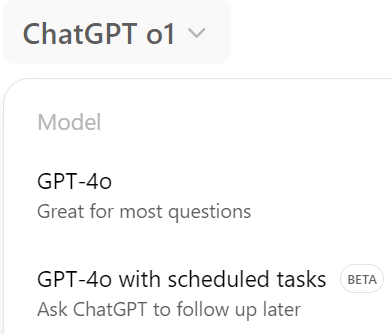
With "Model Chat GPT O with scheduled tasks," you can now create up to 10 automated, recurring tasks to streamline your workflow.

Do you have to remind yourself or others to do your tasks every day? Now you can automate it!

Key Benefits:

-Your personal reminder and follow-up assistant

-1 decision saves 1,000 decisions later

What I'm excited about are less the simple reminders which you can do with every to-do list (Todoist, Asana, etc.) and more about the ones you can do only with AI, including content creation:

Write a Facebook post about alternative protein news every day at 9:00
Generate blog posts about animal intelligence with relevant images every week at 9:00
Compose donor newsletters every month at 9:00
Monitor and alert for organization name mentions
Provide AI news updates every day at 9:15
Deliver Bitcoin market updates every day at 9:30
Learn on the go with text-to-speech

I wanted to recommend 2 text-to-speech solutions that are either free or have generous free plans.

I use them to go through my reading list, mainly for literature reviews and emails that don't contain many links (for link-heavy content, it's better to read directly):

The Fast and EasyReading Mode. Originally an accessibility app, many people discovered it's helpful for anyone who prefers listening on the go. The app adds a button at the bottom of your screen to play the text. Since it can sometimes launch accidentally, you might want to easily adjust the settings to require a manual click. Overall, it's a great experience – it reads any text longer than a paragraph, works in almost every language and highlights text as it reads. You can adjust the speed and text size. Voice quality: 4 out of 5 🌟🌟🌟🌟, ease of use: 5 out of 5 🌟🌟🌟🌟🌟

The High QualityEleven Labs. This offers the most natural, human-like voice I've heard. The only drawback is that for emails, you need to save them as PDFs first before uploading. I happily do it for long, content-rich newsletters. Besides PDFs, you can also input website links like articles, which is very convenient. Voice quality: 5 out of 5 🌟🌟🌟🌟🌟, ease of use: 4 out of 5 🌟🌟🌟🌟

Listening to content on the go is my secret. I feel like I've learned more social psychology on the go than anywhere else. Highly recommended!

Eisenhower and a downloadable Excel

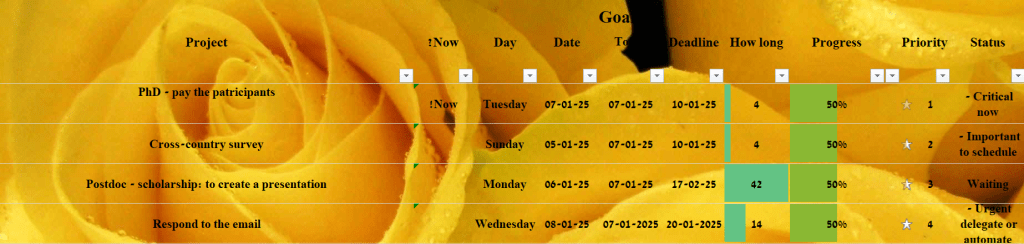
If you're looking to boost your productivity, here's my Excel spreadsheet template for task management.

Encapsulated in this straightforward spreadsheet is the Eisenhower Matrix philosophy, named after the president who implemented it throughout his career:

1. Prioritize urgent and important tasks first (your BA, MA, PhD, or primary work project – the one generating the most revenue, the 20% effort that yields 80% of your results – these need immediate attention)

2. Next, focus on non-urgent but important tasks (surprisingly, yes, important is before urgent, and these should be scheduled. Think health-related activities – nutrition, vitamins, exercise, saving, investing. While skipping these today won't cause immediate issues, they matter more long-term than the constant buzzing, ringing, and dinging of phone notifications)

3. Then address unimportant but urgent tasks (email responses and notifications – these should be delegated or automated. Even without a secretary, you can hire someone or use AI to handle these)

4. Finally, non-urgent and unimportant tasks (mindless doomsday scrolling) – these aren't even included in the spreadsheet as they should be minimized.

I've also added a Waiting status, since sometimes you can't move forward with critical tasks while pending someone else's action, such as waiting for a review. Here's a quick glipse:

To download:

Deep work: high and low tech tips

Deep work is gaining popularity and we all embrace minimalism now, knowing that less is more. Therefore, I wanted to to share low and high tech solutions that have been a lifesaver for me in terms of focus:

Office Tab – Ever get frustrated when you have to open multiple Word, Excel, or PowerPoint files and each one takes up an entire window, forcing you to constantly switch between them or split your screen? Those days are over! Now you can have each file in its own tab, which is honestly all you need.

I particularly appreciate their pricing model ("buy once, use forever").

More Word hacks:

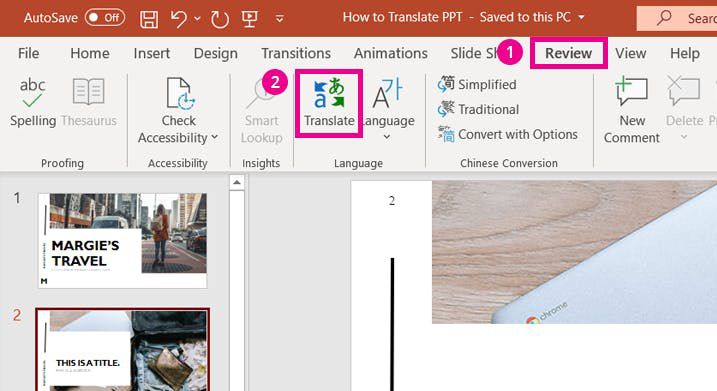
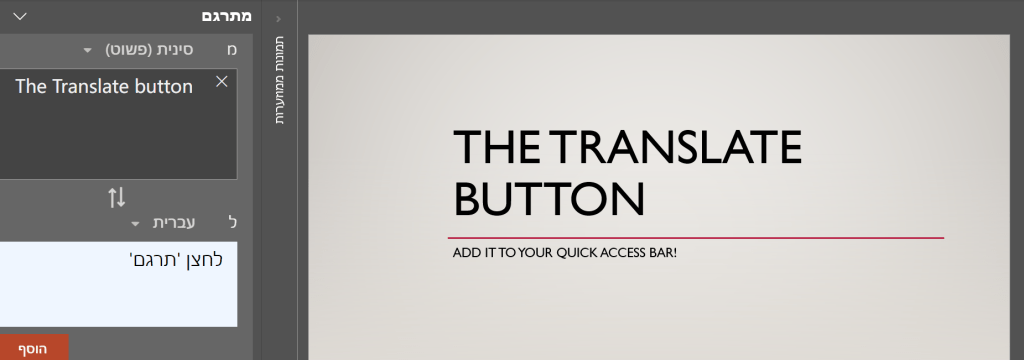
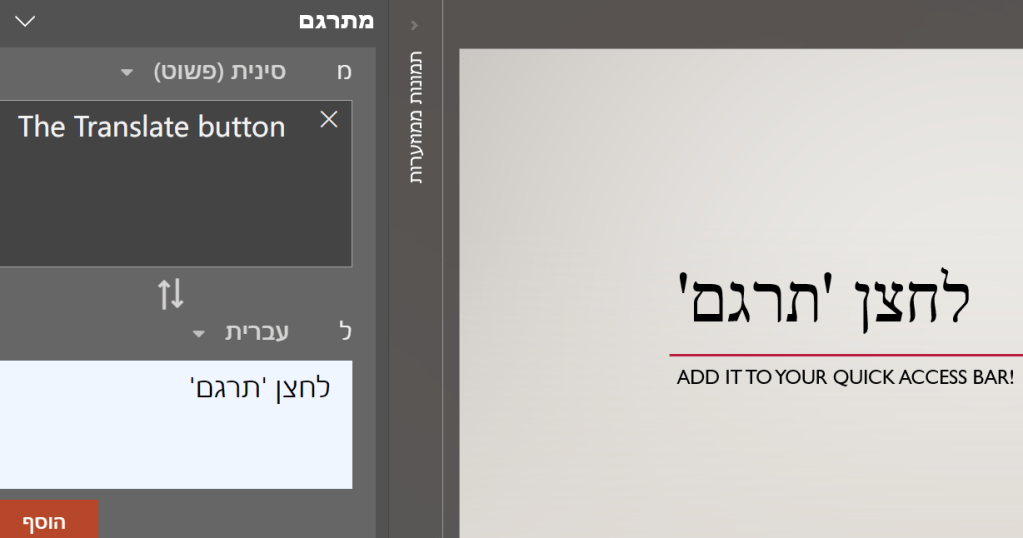
The Translate button—located under Review>Language>Translate—works surprisingly well! It maintains the original formatting and is compatible with Excel and PowerPoint, too. I've added it to my quick-access toolbar for convenience.

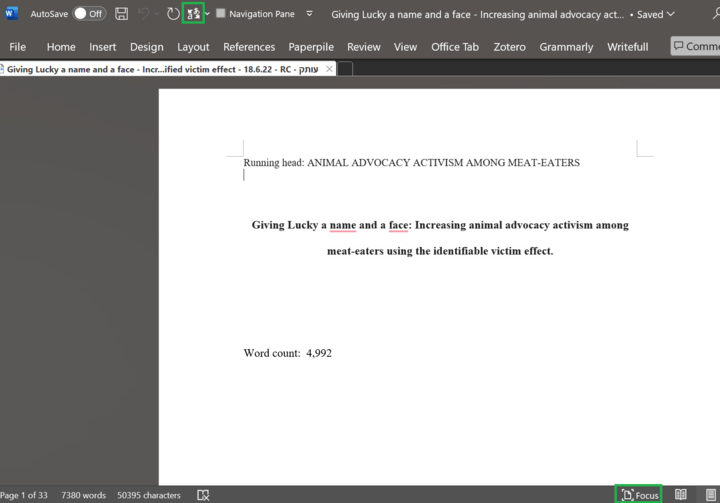
Focus mode – Helps eliminate distractions while working.

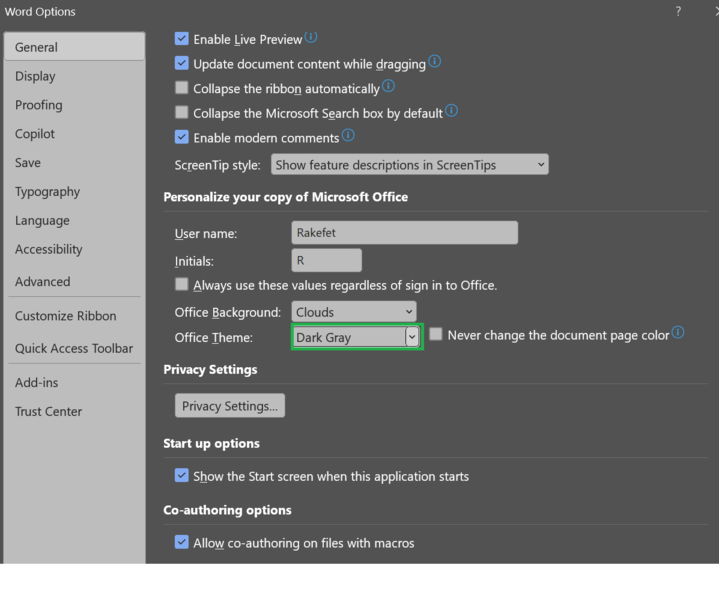
Office theme – Under Options, select Dark gray theme – works similar to focus mode for me.

-Last but not least: Auto Hide Mouse Cursor. Tired of having to hide your cursor manually in the corner of the screen? Download this simple app that does exactly what it says. I set it to hide it after 2 seconds.

Have fun!

Inbox zero tips

Useful email tips I came across:

– Start by searching for "unsubscribe" in your email search box, then unsubscribe from nearly all newsletters.

-Next, select all emails in your inbox and click "archive."

-Finally, archive any new emails after you've read them. Your inbox shouldn't serve as a reading reminder.

-When you need a specific email, you can quickly search for it instead of scanning through 50 subject lines repeatedly.

Two great AI tools + Social Psychology content sources

Here are two great AI tools + Social Psychology content sources I found!:

Snipd – got even better with new features like auto snipping, which saves your favorite parts of episodes with AI-generated summaries and social media quotes. My favorite podcast on it is Curiosity Daily – the award-winning #1 podcast in science and technology (listen only to the old episodes with Ashley and Cody!). Each episode features social psychology nudges and effects alongside astronomy, physics, and other science topics. I listen mainly to the social psychology content and am even conducting a study based on a nudge I discovered only there. I literally don't know what I would do without this podcast.

NotebookLM – recently generated an in-depth conversation about one of my favorite social psychology resources: the EAST document (Easy, Attractive, Social, Timely). Here's an easy science-based win from the episode: you can leverage social proof – our tendency to follow the crowd – by adding text like "many of our supporters choose to donate monthly" next to a donation button. I recommend listening to NotebookLM's episode while on the go, and if you find it insightful, check out the full document – it's more engaging than you might expect.

5-Minute Rule to Beat Procrastination

-To overcome procrastination, commit to working on the task for just five minutes.
-This advice comes from Kevin Systrom, co-founder of Instagram.
-Often, starting is the hardest part.
-Once you begin, you're more likely to continue working beyond the initial five minutes.
-This trick leverages the inertia of starting to beat procrastination.

The credit goes to the original Curiosity Daily episode.

Benefits of meaning in life

If you work at an animal welfare nonprofit organization or any other type of nonprofit, you might be pleasantly surprised to learn that:

Finding meaning in life aids in coping with stress by providing a sense of control.

-A strong sense of purpose correlates with improved physical health, including faster recovery after surgery.

-People with more meaning in their lives tend to visit the doctor more and spend less time in hospitals.

-They also exercise more and experience better sleep quality, according to research from Northwestern University.

-Meaning in life contributes to overall well-being and resilience.

To the original episode.

GPT for Excel and Word + Translate button

Some of you may not have noticed Microsoft Excel's useful extensions.

For example, GPT for Excel and Word.

Also, little did you know that Excel, Word, and PowerPoint have a Translate button. It works surprisingly well and maintains your text formatting!

I recommend adding the Translate button to your Quick Access Toolbar for easy access!

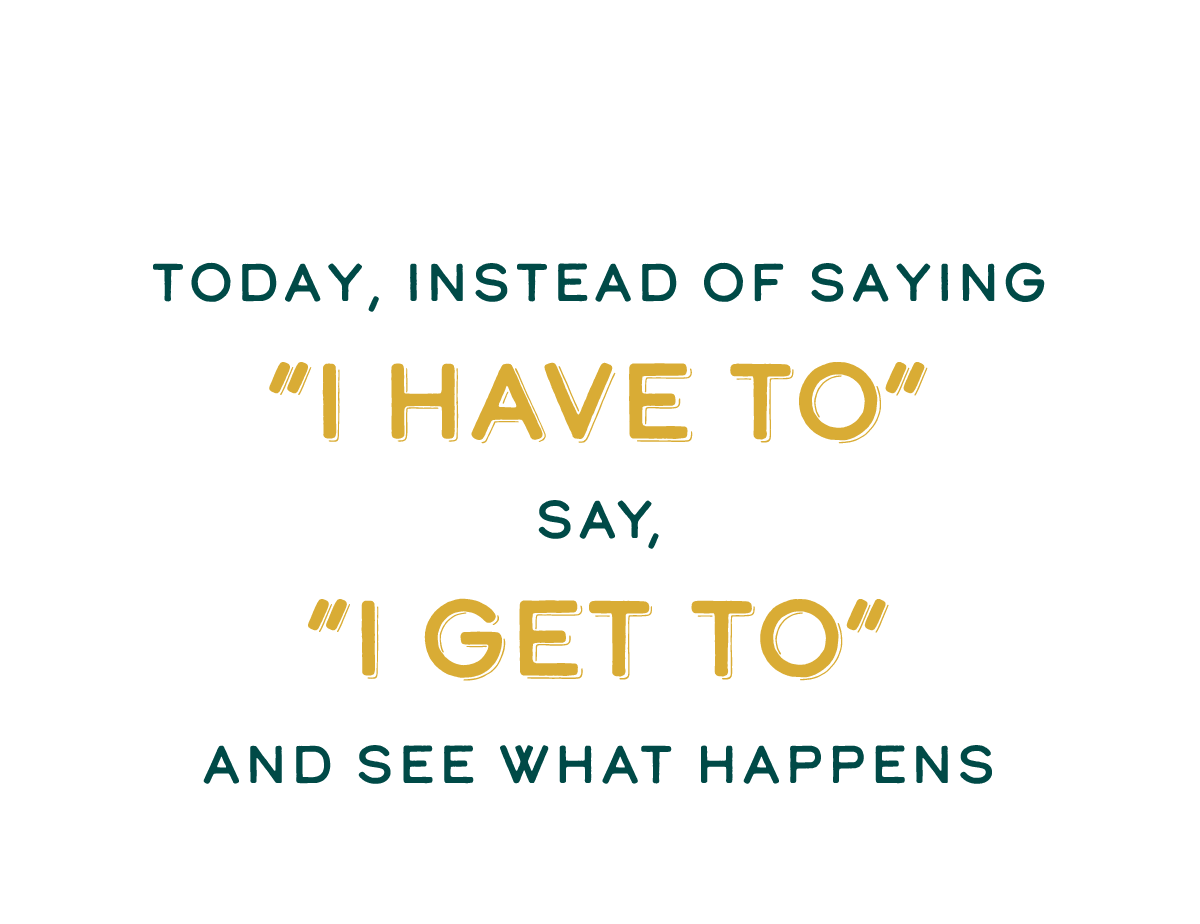
You get to

You don't just have to work – you get to work.

You don't have to study – you get to study.

You don't have to go to the meeting – you get to go to the meeting.

Framing is everything.

“The mind can make a heaven of hell, a hell of heaven.”

― John Milton